Sideline: 2nd Phone Line App
- 3.8
- Rating
- 5.00M
- Installs
- Free
- Price

 Analysis by App-foxy
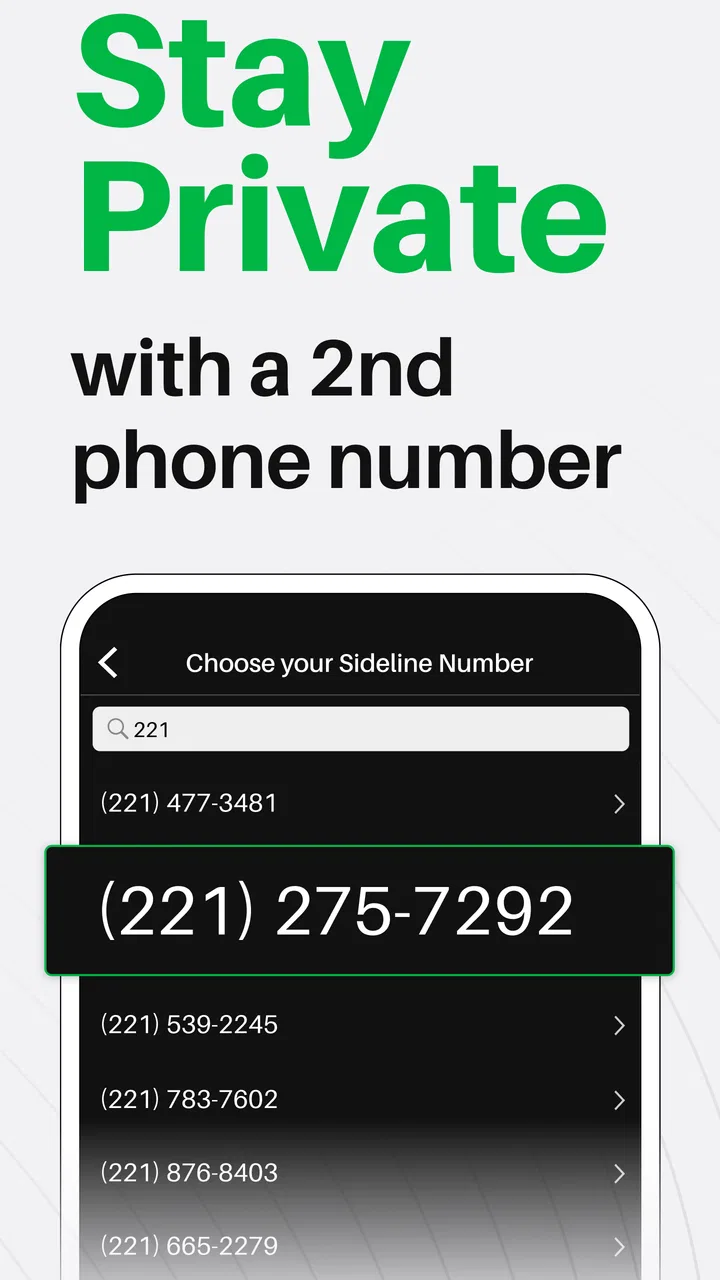
I approached Sideline: 2nd Phone Line App as a practical communication tool rather than a novelty number generator. Its promise is easy to understand: keep a second line for texts and calls without carrying another phone. In my first week, that separation felt genuinely useful. I could imagine using one number for clients, marketplace sales, volunteer work, a side business, or any situation where sharing my personal number would create unnecessary clutter.
The app comes from Pinger, Inc and sits in the communication category. It is free to install, aimed at everyone, and available for devices running iOS 9 or later. That broad compatibility makes it approachable, although the experience is not equally valuable for every kind of user. The important question is not whether a second number sounds convenient; it is whether you have a recurring reason to maintain one after the initial appeal wears off.
From easy setup to a line worth keeping
I find the move from trying a second number to keeping it useful depends on more than setup: it helps to decide in advance who should receive the number and what kind of reply they can expect. That small boundary can make the line easier to manage in busy weeks. Next, I’d look at whether the separation continues to pay off once the newness wears away.
You May Also Like

 Blood Strike: 2.5 Anniversary
Blood Strike’s Loadouts Turn Every Drop Into a Tactical Gamble
A close look at Blood Strike’s custom loadouts: how fast access to signature weapons reshapes its battle royale rhythm, rewards preparation, and narrows the gap between fights.

 Pandora - Music & Podcasts
Pandora’s Music Is Easy to Start, but Harder to Recover
Pandora’s strength is its low-effort path from a seed to a station. Its weak spot is how much confidence it asks you to place in connection, setup, and quiet recovery.

 8 Ball Pool
 Is Built on Rivalries, Rematches, and Routine
A close look at the rivalries, rematches, shared routines, and unanswered safety questions that turn a quick pool match into a persistent mobile community.

 Samsung Music
’s Quiet Strength Is Playing What You Already Own
Its reach comes less from spectacle than from dependable access to a personal library. That simplicity is both the app’s strongest retention engine and its ceiling.

 AccuWeather: Weather Radar
AccuWeather Review: A Quick, Clear Forecast for Everyday Decisions
For everyday plans, the best forecast is the one you can understand quickly. AccuWeather makes rain timing, radar, and local conditions easy to act on, with a few trade-offs.

 Hill Climb Racing
Why Hill Climb Racing Still Turns Crashes Into One More Run
A tiny car, a bumpy hill and one more upgrade: Hill Climb Racing keeps resurfacing because its simple chaos makes every near-miss feel personal.
More From Our News Desk



Why the first week feels productive
The strongest early use case is separation. I like having a boundary between conversations that belong to my personal life and conversations connected to work, selling something, organizing an event, or dealing with a service provider. A second line does not require me to explain why I would rather not hand out my main number. I can simply give the alternate number and keep the two streams distinct.
That distinction is especially helpful in an everyday scenario such as selling furniture online. I can put the Sideline number in the listing, answer questions, arrange a pickup, and then leave the conversation in that separate space once the sale is complete. The value is not just privacy in the abstract. It is the ability to recognize the context of an incoming message before deciding how much attention it deserves.
I also found the concept useful for short-term projects. A freelancer testing a new service, a tutor coordinating with students, or a community organizer managing volunteers may want a dedicated contact point without buying a separate handset. The app can make that arrangement feel more deliberate than using a personal number for everything.
Calls matter here as much as texts. A second line is more practical when people can reach it through voice instead of forcing every interaction into messaging. Sideline presents itself as offering premium call quality, and in my assessment that focus is important: a number that works only for occasional texts would be much less convincing as a lasting communication tool.
The difference between a second line and a disposable contact
I would not treat this as a throwaway number for a single transaction. The better way to think about it is as a small communication identity. If I use the same line for a side project over several months, people know where to reach me and I avoid repeatedly introducing a new contact method.
That creates a useful trade-off. A stable second line can look more professional than a personal number attached to unrelated activities, but it also creates another inbox that deserves attention. During the first week, that responsibility is easy to overlook because the novelty makes checking the app feel rewarding. The real test arrives when messages are less frequent and the line becomes part of a routine.
What I would decide before installing
I would first name the job this line needs to do. “I want more privacy” is a reasonable starting point, but a clearer plan is better: customer inquiries, a side business, a club, a temporary project, or calls from people I do not want mixed into my personal contacts. If I cannot identify a repeated use, I would probably skip it and keep my communication setup simpler.
The app has a 3.8 average from around 63 thousand ratings, alongside roughly 26 thousand written reviews. I read that overall reception as mixed but workable: enough people find the concept useful, while the experience clearly depends on expectations, device behavior, and how consistently the line is managed. It is not a reason to reject the app, but it is a reminder to judge the workflow rather than the idea alone.
What remains valuable after the novelty fades
For me, a second line earns its place when it protects a boundary I still need, not simply because it has collected a few contacts. I’d reassess it whenever a project changes or ends, then decide whether the number still serves a clear role. That longer view also makes it easier to judge the attention and upkeep it asks for.
Recurring value comes from boundaries
After the first month, the main benefit is not having an extra icon on my phone. It is having a predictable boundary. I can decide that one number is for family and friends while the other is for public-facing conversations. That separation reduces the temptation to expose my primary contact details whenever I need to communicate with someone new.
This can also make attention management easier. If the second line is reserved for work or a project, I can review it during a chosen part of the day instead of reacting to every message as though it were personal. The app does not magically create discipline, but a separate channel gives that discipline something concrete to attach to.
One less obvious advantage is continuity. When a project changes hands or a side activity pauses, the dedicated number remains conceptually connected to that activity. I can return to the conversation history without searching through a personal inbox filled with unrelated messages. That is a modest benefit, but it becomes more valuable as conversations accumulate.
Where it compares well with ordinary alternatives
The usual alternative is carrying two phones. That can provide stronger physical separation, but it adds hardware, charging, storage, and the risk of leaving one device behind. For someone who only needs a second line occasionally, Sideline is a much lighter arrangement.
Another option is using a mainstream messaging service tied to an existing account. Those services can be excellent for people whose contacts already use the same platform, but they are not always a substitute for a phone number that can support ordinary calls and texts. A dedicated second line is easier to present to clients, sellers, customers, or acquaintances who do not want to install another service.
On the other hand, a carrier-provided second line may be a better choice for someone who depends on carrier-level reliability, wants everything integrated into the phone’s standard calling experience, or already pays for a plan that includes an additional number. Sideline is most appealing when convenience and separation matter more than having every function managed by the carrier.
When the monthly habit is worth it
I think the app earns a permanent place when the number is used often enough to prevent it from becoming forgotten. A small business owner replying to inquiries, a property manager coordinating visits, or a regular volunteer organizer may have a clear reason to check the line every day. For those users, the second number is infrastructure, not decoration.
The free entry point helps with testing the idea, but the presence of in-app purchases ranging from $0.99 to $129.99 per item means I would review any purchase screen carefully before committing. I would not pay simply because the app feels useful during a busy week. I would first confirm that the line solves a repeated problem and that its ongoing cost makes sense beside alternatives such as a carrier add-on or another communication service.
Who should probably choose something else
I would skip this app if I only need a one-time anonymous contact and do not want to maintain another communication channel. I would also hesitate if my work requires formal business phone administration, multiple users, advanced call routing, or strict organizational controls. A personal second-line app may be too limited for that environment, even if it is convenient for an individual.
It is also not the obvious answer for someone who already has a dual-SIM setup that handles personal and work calls cleanly. In that case, the physical phone configuration may offer a more natural daily habit. The best choice depends on whether the problem is the number itself or the way the phone separates identities.
Maintenance, fatigue, and the habits that decide the outcome
The ongoing challenge is balancing separation with the extra effort of monitoring another channel. I’d choose a checking routine that fits the importance of the line, rather than treating every incoming call or message as equally urgent. With that habit in mind, it becomes easier to tell whether the app is reducing friction or quietly adding to it.
The hidden work of owning another inbox
The maintenance burden is small, but it is real. I need to remember to open the app, notice incoming calls, reply from the correct line, and avoid accidentally switching back to my personal number during a conversation. That sounds minor until the second line becomes busy. Then a missed message can look careless, especially if the number represents a business or organized activity.
My practical advice is to give the line a clear label in my own routine. I would reserve it for one purpose instead of handing it out indiscriminately. I would also decide when to check it and what kind of response time I can honestly provide. A second number works better when it has rules; without them, it becomes another source of interruptions.
One useful workflow is to use the line as a screening layer. Public inquiries arrive there first, and only the conversations that become important move into a more personal channel. This does not eliminate unwanted contact, but it keeps the first point of contact away from the main number and makes it easier to separate genuine requests from noise.
Why fatigue appears over time
The first source of fatigue is duplication. Every additional line creates another place where a message may be waiting. If I already struggle to keep up with my normal calls and texts, adding a second stream can feel less like organization and more like administrative debt.
The second is context switching. When I am in a hurry, I may answer from the wrong identity or forget which number a contact has saved. That risk is manageable for casual use, but it matters more when the line represents a professional role. A separate number only creates clarity if I consistently respect the separation.
The third is uncertainty around long-term necessity. A temporary project can end while the number remains active in my habits. I would periodically ask whether the line still receives meaningful communication. If it has become a quiet channel that I keep checking out of fear rather than need, retiring the workflow may be more sensible than preserving it indefinitely.
Call quality and the practical test
For me, call quality is the deciding test because voice conversations expose weaknesses faster than casual texting. I would try several ordinary calls before giving the number to important contacts, including a short conversation in a place where mobile connectivity is less predictable. I would also confirm that I can recognize calls to the second line quickly enough to answer with the right greeting.
That test is more useful than assuming every call will feel identical to a standard carrier call. App-based communication can fit daily life very well, but people who depend on uninterrupted voice access should be more demanding. If a second line is used for urgent family contact, emergency coordination, or a role where missed calls have serious consequences, I would favor the most dependable option available rather than choosing on convenience alone.
Purchases deserve a deliberate decision
The app is free, which makes experimentation easy, but free installation should not be confused with a completely cost-free long-term plan. Because optional purchases can reach $129.99 per item, I would avoid tapping through upgrades automatically. I would identify the exact problem a purchase addresses, compare it with the cost of a carrier-based alternative, and decide whether the number will continue earning its place.
That approach also protects the app from becoming an impulse solution. If I need a second line for a real activity, a paid option may be reasonable. If I am only curious, I would use the basic experience long enough to see whether the number becomes part of my routine before spending more.
My long-term verdict on Sideline
My lasting view is that Sideline is most useful when a second number solves a recurring, specific problem and the person using it is comfortable maintaining another inbox. I’d test the everyday call-and-message routine before relying on it for important conversations, then review whether the line still deserves attention. That practical standard is what shapes my recommendation.
A focused tool with a clear audience
Sideline works best for people who need a separate phone identity but do not want a second handset. I can recommend it to a freelancer, seller, organizer, tutor, or small operator who wants calls and texts kept apart from personal communication. The strongest benefit is not novelty; it is the boundary that remains useful whenever the same kind of contact returns.
The app has also built a substantial audience, with over five million installs, which fits the idea that a second line solves a recognizable everyday problem. Its current version is 13.11, and the product has been available since October 2015. Those details suggest a long-running app rather than a short-lived experiment, though longevity alone does not remove the need to assess whether its workflow suits me.
The trade-off I would explain to a friend
I would say: install it if you can name the conversations that belong on the second line. Do not install it merely because having another number sounds interesting. The app gives me separation, but separation has a cost in attention. I must check another inbox, remember another identity, and decide whether optional spending is justified.
For a person who already has a reliable dual-SIM arrangement or a carrier plan that handles an extra number naturally, the simpler alternative may win. For someone who wants a public-facing line without exposing a personal number, the convenience is much more compelling. The right choice depends less on how impressive the feature sounds and more on whether the number will be used repeatedly.
Does it earn lasting space?
In my experience, yes—but only when treated as a purposeful line rather than a backup curiosity. I would keep it for an ongoing project, a side business, or regular public communication. I would remove it from my daily setup when the project ends or when checking the line becomes a chore with no meaningful return.
My final recommendation is practical: give the second number one defined job, test calls and messages before relying on it, and review its value after the initial excitement passes. With that mindset, Sideline is a useful communication app that can simplify boundaries without requiring another phone. Without that mindset, it risks becoming one more neglected inbox competing for attention.
FAQs for Sideline: 2nd Phone Line App
01What is Sideline and how does it work?
Sideline is a mobile app that provides a second phone line on your existing smartphone. It uses your carrier network to ensure reliable call quality and offers features like voicemail and text messaging. This is ideal for separating personal and professional communications without needing a second device.
02Is Sideline available for both Android and iOS devices?
Yes, Sideline is available for download on both Android and iOS platforms. You can find it on the Google Play Store for Android devices and the Apple App Store for iOS devices. It offers a seamless experience across both operating systems, ensuring you can manage your communications efficiently.
03Does Sideline charge a monthly fee for its services?
Sideline operates on a subscription model, charging a monthly fee for its services. This fee covers features such as voicemail, texting, and call forwarding. It's important to review the pricing details on their official website or app store listing to understand the costs involved before subscribing.
04Can Sideline be used for international calls and texts?
Sideline primarily focuses on providing a second local phone number for domestic use. While it supports international calls, these might incur additional charges. It's recommended to check their international calling rates and ensure they align with your needs before making any international communications.
05How secure is my communication on Sideline?
Sideline prioritizes user privacy and security by offering encrypted messaging and secure call features. They follow industry-standard protocols to protect your data. However, as with any app, users should regularly update the app and follow security best practices to maintain the highest level of security.
Pros
- Easy setup and user-friendly interface.
- Customizable voicemail greetings.
- Supports business and personal use.
- Affordable subscription pricing.
- Seamless call forwarding options.
Cons
- Limited free features available.
- Requires stable internet connection.
- Texting features could be improved.
- No video calling option.
- Ads in the free version can be intrusive.

Sideline: 2nd Phone Line App
Gallery